
How to Create Listing Videos from Still Photos (Without a Film Crew)
Turn your existing property photos into short listing videos for portals, social and vendor presentations — without hiring a film crew or learning complex editing software.
Key Takeaways
- Still-photo videos let every instruction get motion content without a separate video shoot.
- Shot order matters more than fancy transitions — tell a clear arrival-to-detail story.
- [object Object]
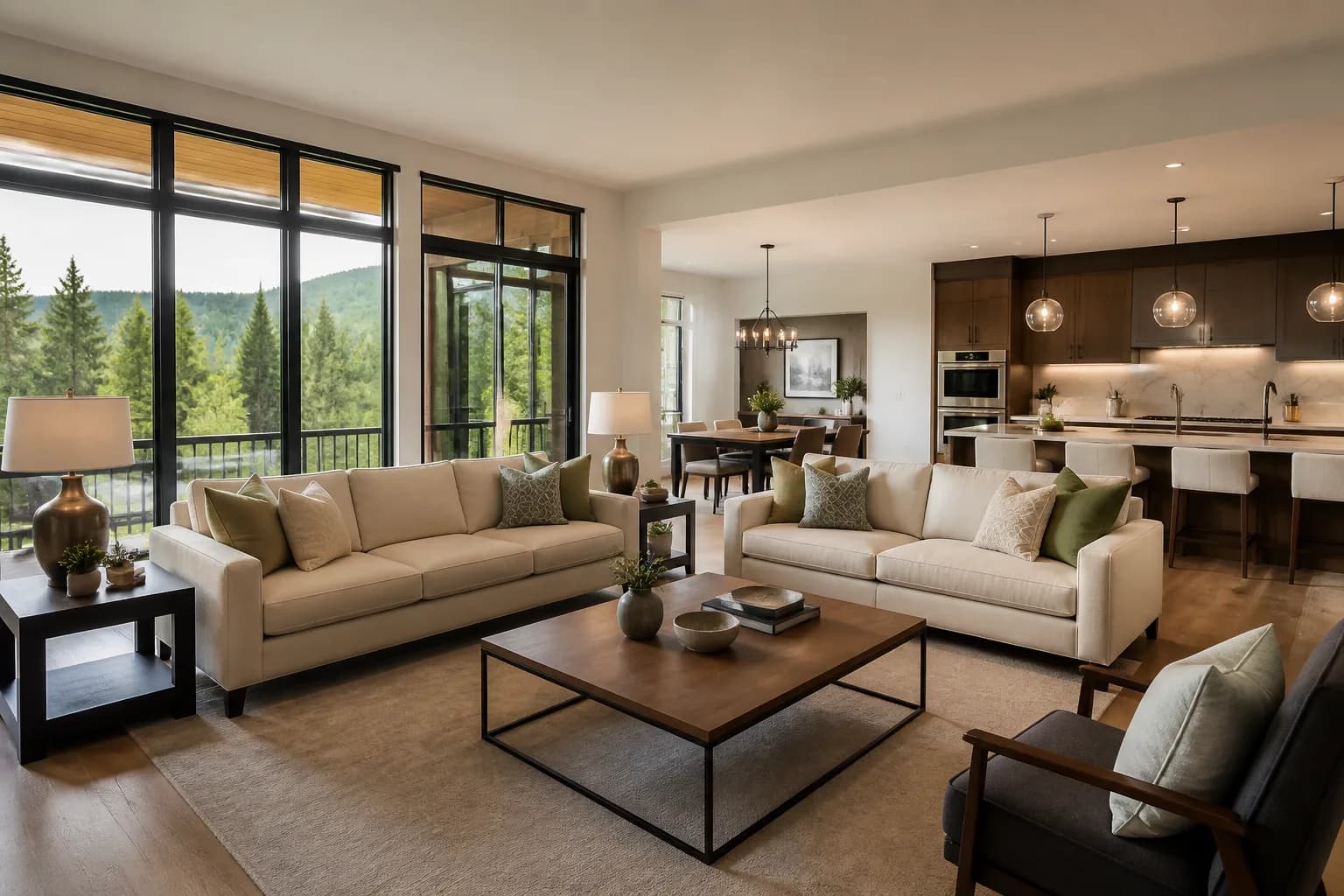
- Start from edited, decluttered photos; animation will not fix a weak gallery.
- One photo set can power multiple cuts for Instagram, WhatsApp and the listing page.
Video is no longer a luxury add-on for a handful of instructions. Buyers expect motion in their feed, vendors ask what you will post on Instagram, and portals reward listings that feel complete. The obstacle for most agencies is not desire — it is production. You cannot send a film crew to every three-bed semi.
That is why listing videos built from still photos have become a core part of modern estate agent marketing. With a strong gallery and the right tool, you can publish motion content on the same day as the photography without learning a timeline editor.
Why still-photo video works for property
Property photography already captures the angles buyers need. Animation adds:
- Scroll-stopping motion in social feeds dominated by static grids
- A guided story that shows the home in a sensible order
- Reusable assets from work you are already paying for
- Speed — minutes instead of a second site visit
Buyers understand they are watching an enhanced photo sequence. What they care about is clarity, pacing and whether the home feels desirable.
Start with a video-ready gallery
Animation amplifies what is already there. Before you generate a clip:
- Choose bright, sharp hero frames.
- Declutter anything that distracts.
- Correct colour and geometry.
- Prefer wide contextual shots over tight product-style crops.
- Include at least one strong exterior and the key living spaces.
If the stills would fail the Rightmove first-image test, fix them first.
The shot order that feels like a walkthrough
Treat the video like a short visit:
- Exterior arrival
- Entrance or hallway
- Main living space
- Kitchen
- Dining or open-plan connection
- Principal bedroom
- Bathroom
- Garden or view
- Standout feature (period detail, extension, parking — only if it earns its place)
You do not need every room. You need a confident narrative. Eight to twelve images is enough for most social cuts; fifteen supports a longer portal version.
Match the cut to the channel
Social reels and stories (15–30 seconds)
Lead hard. First frame must be your best exterior or room. Keep captions minimal on-screen if you brand the end card. Vertical or square exports matter more than cinematic letterboxing.
Portal and website embeds (45–60 seconds)
Give rooms a beat longer. Include kitchen, living, bedroom, bathroom and outside space. End on the strongest lifestyle frame, not a utility detail.
Appraisal / vendor presentation (60–90 seconds)
Show the polish you will deliver if instructed. This is a sales tool as much as a listing asset — pair it with floor plans and a Showcase link when you want the pitch to feel premium.
How AI tools fit the workflow
ImageMotion turns still property photos into cinematic video inside the ReHub Studio ecosystem — same login and credits as your editing and staging tools. A practical flow looks like this:
- Shoot and select images.
- Edit and declutter in PhotoEdit / PhotoClear.
- Optionally stage empty rooms.
- Generate the motion cut in ImageMotion.
- Export channel-specific lengths.
- Publish to portal, social and CRM templates.
Because everything sits under one platform, you avoid re-uploading the same gallery into three disconnected apps.
Pacing, music and branding
- Pacing: slower on hero rooms, quicker on supporting spaces.
- Music: keep it light and unobtrusive; avoid anything that dates the brand in six months.
- Branding: end card with logo and branch contact is enough — do not watermark every frame.
- Text overlays: use sparingly (price band, beds, location). Let the rooms speak.
Mistakes that make photo-videos feel cheap
Random shuffle order. Jumping from bathroom to exterior to attic breaks trust.
Too many images. A 20-still sprint feels like a slideshow panic attack.
Animating bad photos. Motion will not hide crooked verticals or muddy exposure.
Identical cuts everywhere. Crop and trim for the platform; do not force a horizontal portal edit into a reel.
Overpromising “cinematic film”. Call it a listing video or photo film. Vendors care about results, not Hollywood language.
Measuring whether it is worth it
Track simple signals for 30 days:
- Social reach and saves on property posts with video vs photo-only
- Portal enquiry rate on listings with video enabled
- Vendor feedback in appraisals when you show a sample cut
- Time-to-publish from photography day
Most agencies find the win is twofold: better digital performance and a sharper pitch against competitors who still only offer static galleries.
When you still need real footage
Commission filmed walkthroughs for:
- Complex multi-building plots
- Luxury homes where movement through light and space is the product
- Developments that need drone or lifestyle film
- Instructions where the vendor specifically values a human walkthrough
Use still-photo video as the default layer that keeps the pipeline moving, then upgrade selectively.
A one-hour office playbook
- Pick five live listings with strong photo sets.
- Build a shared shot-order template.
- Generate a 20-second and 50-second cut for each.
- Post one reel per day for a week.
- Review engagement and refine the template.
By the end of the week you will know what your market responds to — and you will have a repeatable system instead of ad-hoc experiments.
Captions, copy and on-screen text that convert
Video performance depends as much on the words around the clip as on the animation itself. On Instagram and Facebook, write captions that answer three questions in the first line: where is it, how many beds, and why should someone care? Avoid opening with “Just listed!” — it tells buyers nothing they cannot see.
For portal video fields, keep descriptions factual and aligned with the main listing text. Mention if the video is a photo film so expectations stay honest. On WhatsApp sends to warm applicants, pair the clip with a one-line hook (“open-plan kitchen to garden — video walkthrough”) and a direct booking link.
On-screen text works best sparingly: price guide, bed count, postcode area, branch name on the end card. Heavy typography over every frame dates quickly and competes with the rooms. If you brand the end card consistently, viewers learn to recognise your agency without feeling advertised at throughout.
Repurposing one photo set across every channel
The commercial win is not one video per listing — it is one shoot powering five outputs. From the same master gallery:
| Output | Length | Primary use |
|---|---|---|
| 15-second reel | 8–10 images | Instagram / Facebook organic |
| 30-second story cut | 10–12 images | Paid social boost |
| 45–60 second portal video | 12–15 images | Rightmove / website embed |
| 60–90 second vendor film | 15+ images | Appraisal leave-behind |
| Still carousel | 5–8 hero frames | LinkedIn or email to applicants |
Build the long cut first, then trim down. Trimming is faster than trying to stretch a short reel into a portal embed. Store exports in a folder named by instruction reference so negotiators can grab the right version without asking marketing.
When you produce video inside ReHub Studio alongside editing and staging, the source files never leave the ecosystem. That removes the Friday-afternoon scramble of “which JPEG did we use for the staged living room?” — a small detail that saves hours across a busy branch month.
Training negotiators to sell (and use) listing video
Video only returns ROI if the branch actually publishes it. Brief negotiators on three talking points for vendors:
- Motion content increases social reach compared with photo-only posts.
- Buyers forward short clips to partners more readily than static galleries.
- Video is included without a second site visit — no diary disruption.
Give each negotiator a sample clip on their phone before appraisals. When they can show, not tell, uptake rises.
Listing video from stills is not a gimmick. It is how high-volume agencies put motion on every instruction without breaking the diary or the budget. Start with better photos, tell a clearer story, and let AI handle the animation so your team can stay focused on vendors and buyers.
Frequently Asked Questions

The ReHub Studio Team
Property Marketing Experts
The ReHub Studio team builds AI-powered tools that help estate agents, photographers and developers create better property marketing, faster.
Ready to improve your property marketing?
Enhance photos, remove clutter, stage rooms, produce floor plans, create video and publish listings from one ReHub account.
Related Articles
Self-Serve AI vs Done-for-You Property Media — Which Path Fits?
Some teams want software and speed. Others want to upload and walk away. Compare self-serve AI in ReHub Studio with done-for-you media paths so you choose the right operating model.

What Buyers Notice in Listing Photos (In the First Three Seconds)
Buyers do not study your gallery like a critic — they react. Learn the visual cues that drive clicks, trust and early rejection on UK property portals.
QR Codes and PDF Brochures That Turn Viewings into Enquiries
Boards, window cards and viewing folders still matter. Pair them with QR codes and smart PDF brochures so interest does not die when someone leaves the house.